 STB Pro+
Your TV.
Every screen.
STB Pro+ is a fast, beautiful IPTV player for iPhone, iPad, Mac and Apple TV — and now Android phones, tablets and Android TV. Add your M3U playlist, Xtream Codes account or Stalker portal and get live TV, a real programme guide, movies and series that look like they belong on your device.
- iPhone
- iPad
- Mac
- Apple TV
- Android phone
- Android tablet
- Android TV · Google TV · Fire TV
Bring your own provider
Works with the service you already pay for.
STB Pro+ is a player. It ships with no channels, playlists or content — you add the sources your provider gives you, and they stay on your devices.
M3U playlists
Paste the playlist link from your provider. Add their guide link too, and you'll see what's on.
Xtream Codes
Sign in with the server, username and password your provider sent you. Live TV, movies and series each get their own place.
Stalker / Ministra portals
Enter the portal address and MAC address from your provider. Extras like radio and karaoke come along too.
Have more than one provider? Add them all and switch between them in a tap. Your passwords are stored securely on your device.
Features
Everything a set-top box does. Then some.
Designed to feel right at home on every device — whether you're holding a phone or a TV remote.
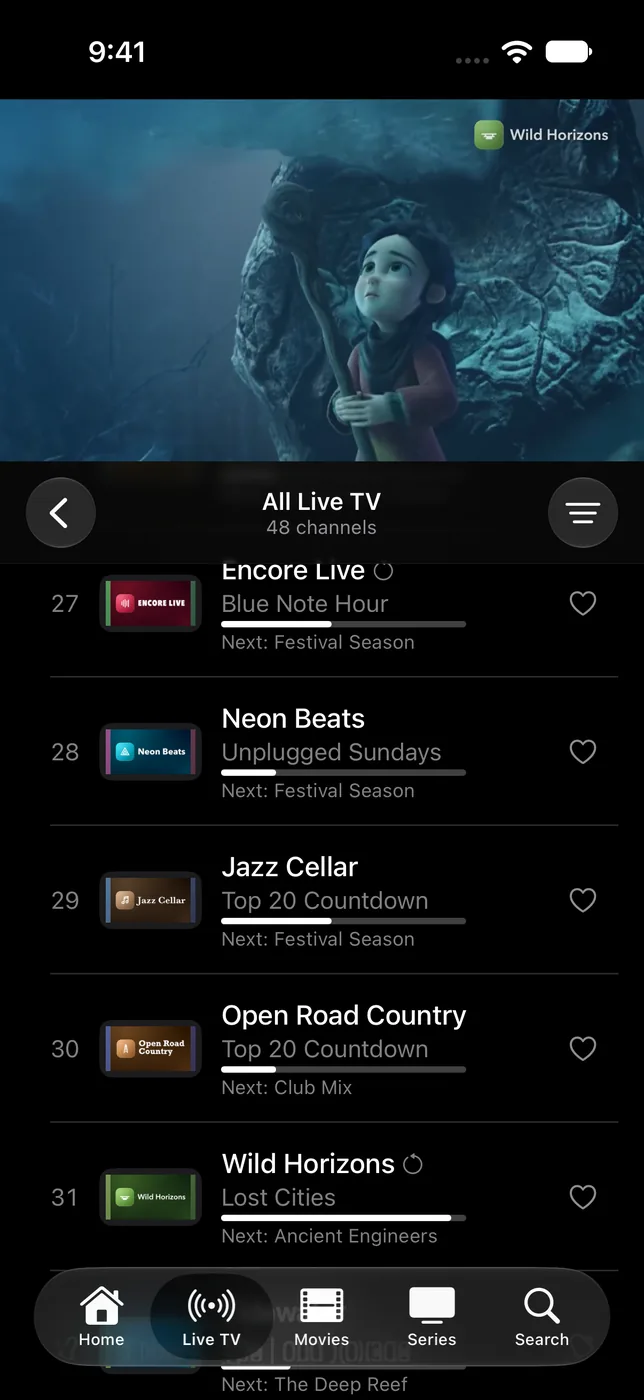
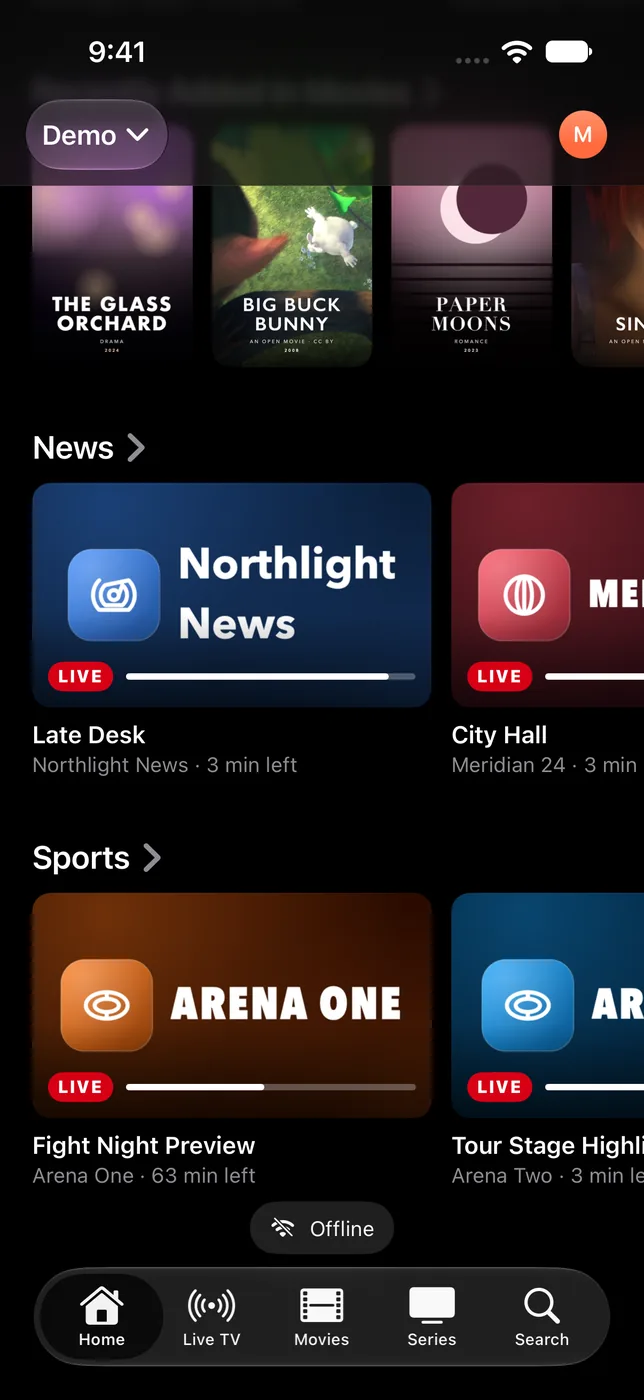
Live TV
Channel surfing, the way it should feel.
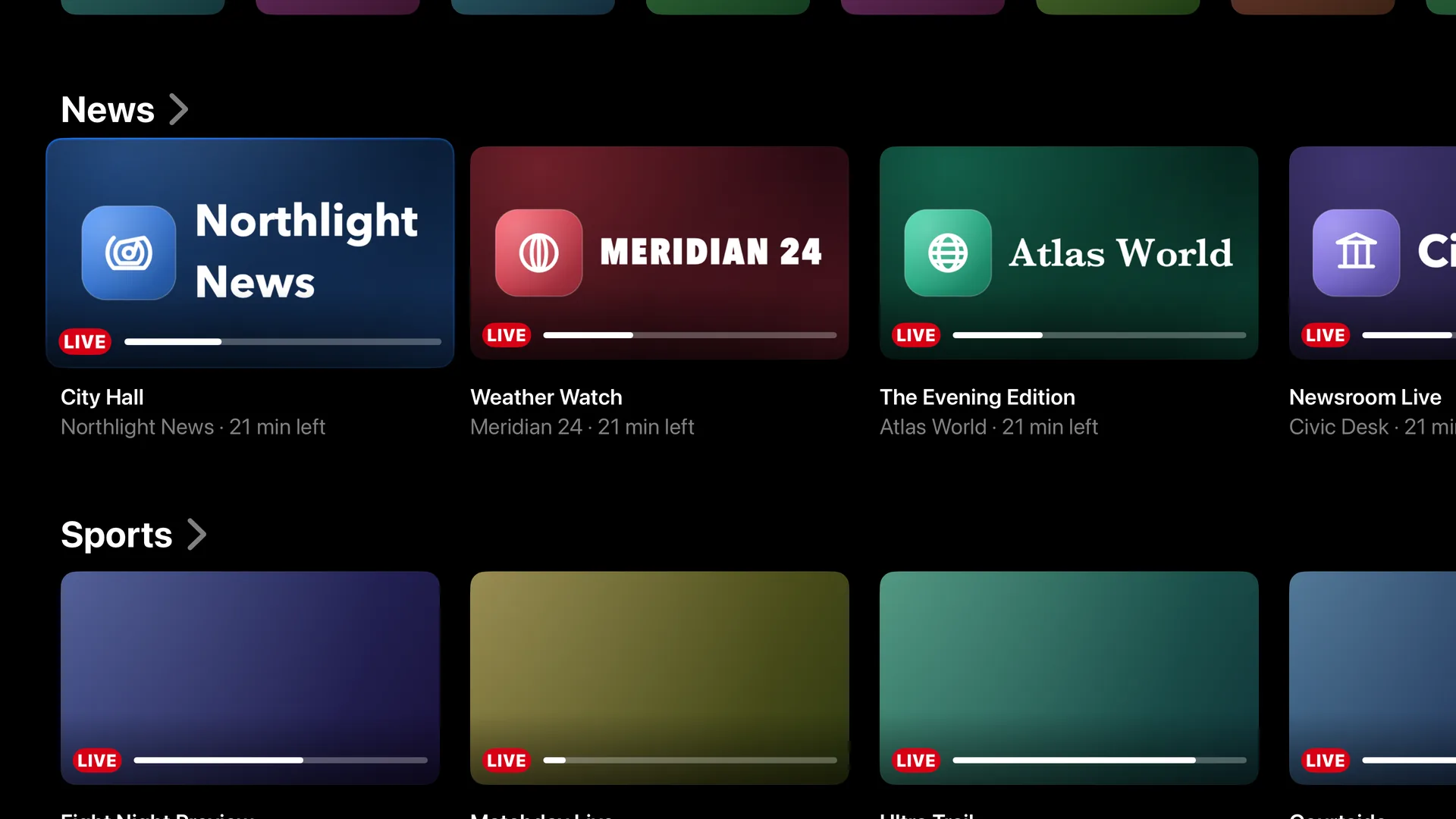
- Browse categories and channels while a live preview keeps playing
- Now and next on every channel, with progress
- Zap up and down, jump back to the last channel, or type a channel number
- Favourites, your own channel lists, hidden and renamed channels
- Live rewind: pause and go back on compatible channels, then jump to Live
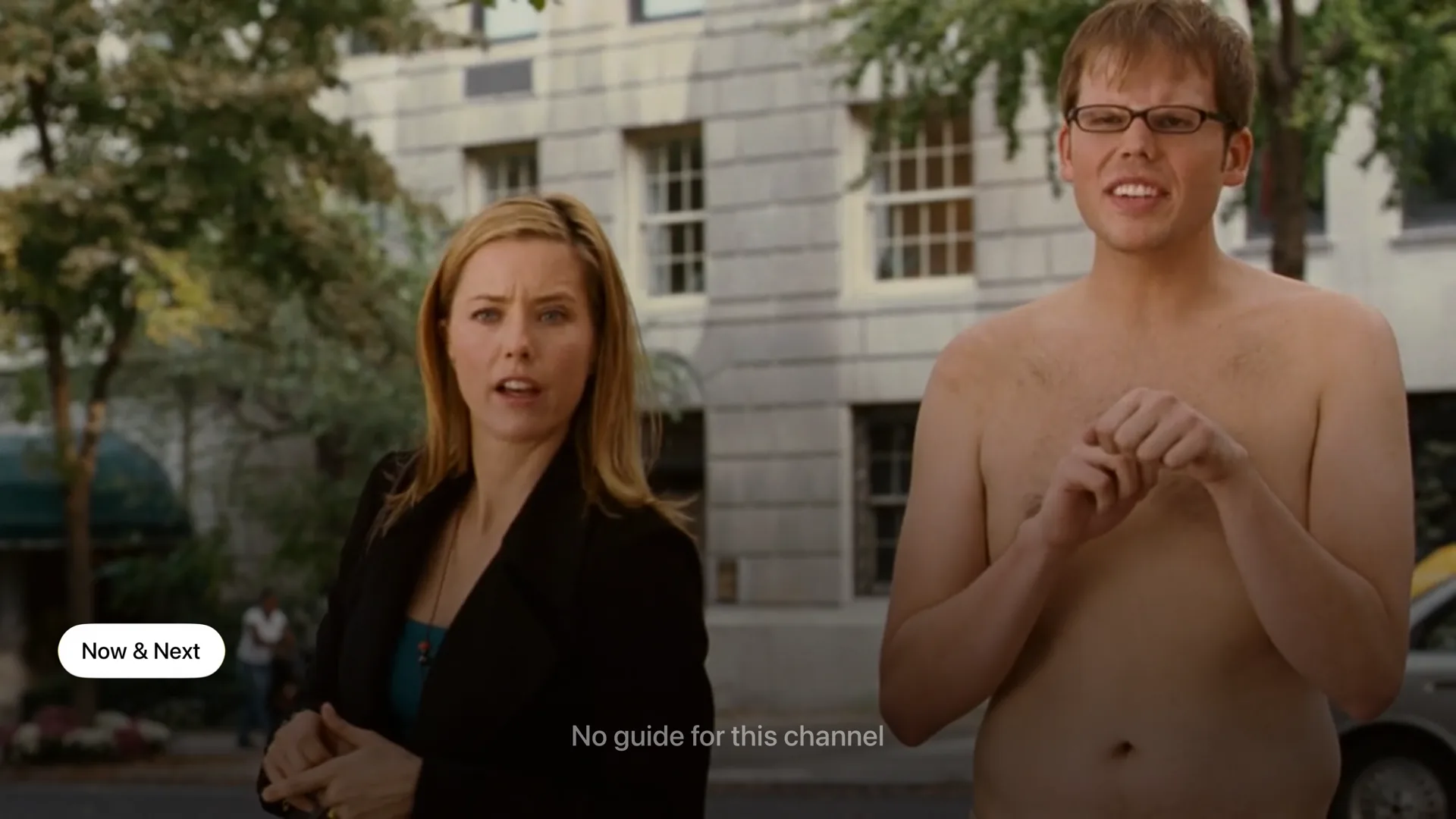
Playback
Plays what other players won't.
- Plays almost any channel or file — if one way doesn't work, it quietly tries another
- Choose the audio language and subtitles, or find subtitles online in a tap
- Playback speed, picture size and a sleep timer
- Picture in Picture, AirPlay and a mini player while you browse
- Multi View: watch several channels at once
Programme guide
See what's on now and later across all your channels, in a guide that feels like real TV.
- Missed it? Watch earlier shows, or start over
- Get a reminder before a show starts
Movies & series
Poster grids, detail pages, seasons and episodes, resume where you stopped and Up Next.
- Watched marks and Continue Watching
- IMDb and Rotten Tomatoes lookups
Search everything
One search over every source: channels, guide programmes on now or in catch-up, movies and shows.
Profiles & Kids
Who's Watching at launch, each person with their own favourites and history.
- Kids profiles and PIN locks
- Lock whole categories
Downloads & offline
Download movies and episodes on iPhone, iPad and Mac and watch them without a connection. Your library and guide stay browsable offline.
Sync & backup
Optional iCloud sync of your library across Apple devices, and secure backups you can send from your iPhone straight to a TV on your network — including Android TV.
At home on Apple devices
Top Shelf on Apple TV, widgets and Live Activities for reminders on iPhone, Handoff between devices, Spotlight and Shortcuts, a separate player window on Mac, and Family Sharing for your purchase.
Private by design
No account, no ads, no tracking. Your sources and passwords stay on your devices.
Screenshots
See it on your screens.
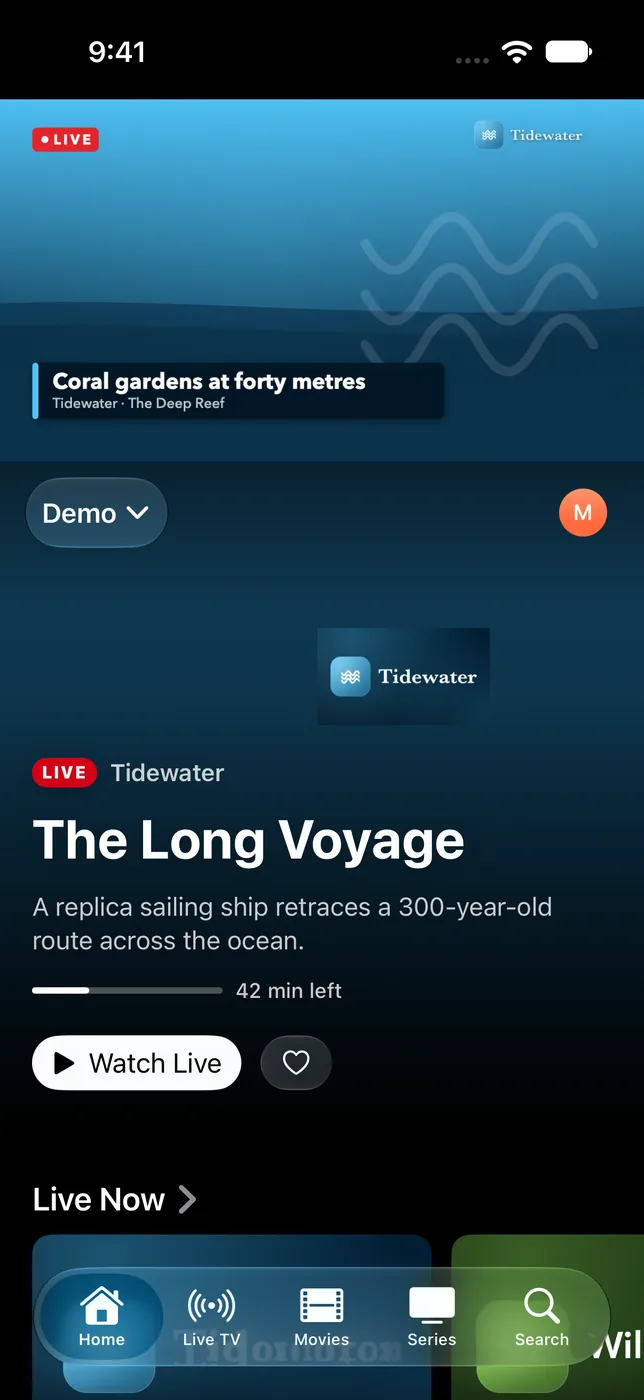
The channels and films shown are samples. With your provider, you'll see your own channels, posters and artwork.
iPhone
iPad & Mac
Apple TV
Android phone
Android tablet
Android TV Google TV · Fire TV
What runs where
One app, every platform.
The Apple apps are the reference. Android is in early access and catching up quickly — here's where each platform stands today.
| Feature | iPhone & iPad | Mac | Apple TV | Android phone & tablet | Android TV |
|---|---|---|---|---|---|
| M3U, Xtream & Stalker sources | ✓ | ✓ | ✓ | ✓ | ✓ |
| Live TV, guide & catch-up | ✓ | ✓ | ✓ | ✓ | ✓ |
| Movies, series & Up Next | ✓ | ✓ | ✓ | ✓ | ✓ |
| Profiles, Kids & PIN | ✓ | ✓ | ✓ | ✓ | ✓ |
| Search & reminders | ✓ | ✓ | ✓ | ✓ | ✓ |
| Online subtitles & live rewind | ✓ | ✓ | ✓ | ✓ | ✓ |
| Plays more stream types | ✓ | ✓ | ✓ | Coming | ✓ |
| Multi View | ✓ | ✓ | ✓ | Coming | ✓ |
| Picture in Picture | ✓ | ✓ | ✓ | Coming | ✓ |
| Downloads & offline viewing | ✓ | ✓ | — | Coming | — |
| Backup & transfer | ✓ | ✓ | ✓ | Coming | ✓ |
| iCloud library sync | ✓ | ✓ | ✓ | — | — |
| AirPlay / Cast | AirPlay | AirPlay | — | Cast coming | — |
Pricing
Try it free. Keep it your way.
STB Pro+ is a free download with a 7-day free trial. Unlock it with a yearly subscription or a single lifetime purchase. Prices are shown in the App Store in your currency.
Yearly
7 days free
then billed yearly
- Every feature on iPhone, iPad, Mac and Apple TV
- Shared with your family through Family Sharing
- Cancel anytime in your Apple Account
Lifetime
Pay once
no subscription
- Unlocks STB Pro+ for good
- All your Apple devices, one purchase
- Family Sharing included
Android
Early access
direct download
- Phone, tablet and TV apps, downloaded from this site
- No in-app purchases on Android yet
- Apple purchases don't carry over to Android
FAQ
Questions, answered.
Does STB Pro+ include channels or a subscription?
No. STB Pro+ is a player only. It contains no channels, playlists, movies or links to them. You need a playlist, Xtream Codes account or Stalker portal from a provider you have the rights to use.
Which providers work?
Most of them. If your provider gave you a playlist link, an Xtream Codes login, or a portal address with a MAC address, STB Pro+ can play it.
Does one purchase cover all my Apple devices?
Yes. Buy once and it's unlocked on every iPhone, iPad, Mac and Apple TV signed in with your Apple Account — and with Family Sharing, for your family too.
How do I get the Android app?
Download it from our Android page, which has simple step-by-step instructions for phones, tablets, Google TV and Fire TV.
Can I move my setup from my iPhone to my TV?
Yes. On Apple devices you can turn on iCloud sync. You can also send an encrypted backup from your iPhone to an Apple TV or Android TV on the same network.
What do you collect?
Nothing that identifies you. There's no account and no tracking. Read the privacy policy.
Get STB Pro+
Free on the App Store with a 7-day trial. Early access on Android.